
Introduction
AI Cartoon Generator is an AI image tool for turning photos or text prompts into cartoon-style visuals, including avatars, characters, portraits, pet cartoons, stickers, and social content. The public site presents a clear creator-focused workflow: upload a reference image or describe an idea, choose a style direction, generate results, and download visuals without a watermark. It appears best suited for creators, marketers, storytellers, and casual users who want stylized cartoon assets without learning image-model terminology.
Key Features
- Photo-to-cartoon generation for selfies, pet photos, travel shots, portraits, and reference artwork.
- Text-to-cartoon creation for characters, moods, poses, scenes, and original cartoon concepts.
- A style picker designed around practical outputs such as avatars, pets, stickers, and character-focused looks.
- Download-ready results for avatars, content posts, pitch boards, thumbnails, and creator portfolios.
- Batch generation and concurrent task limits on paid plans for users producing multiple assets.
- Commercial use is listed with membership plans, which is important for creators using outputs in content or client-facing materials.
Use Cases
AI Cartoon Generator is most useful when the goal is a stylized visual rather than a photorealistic image. The site highlights social avatars, gaming and personal branding, pet cartoons, portraits, blog images, thumbnails, and character art. That makes it a practical fit for creators who need quick visual variations for online profiles, posts, story concepts, or lightweight creative projects.
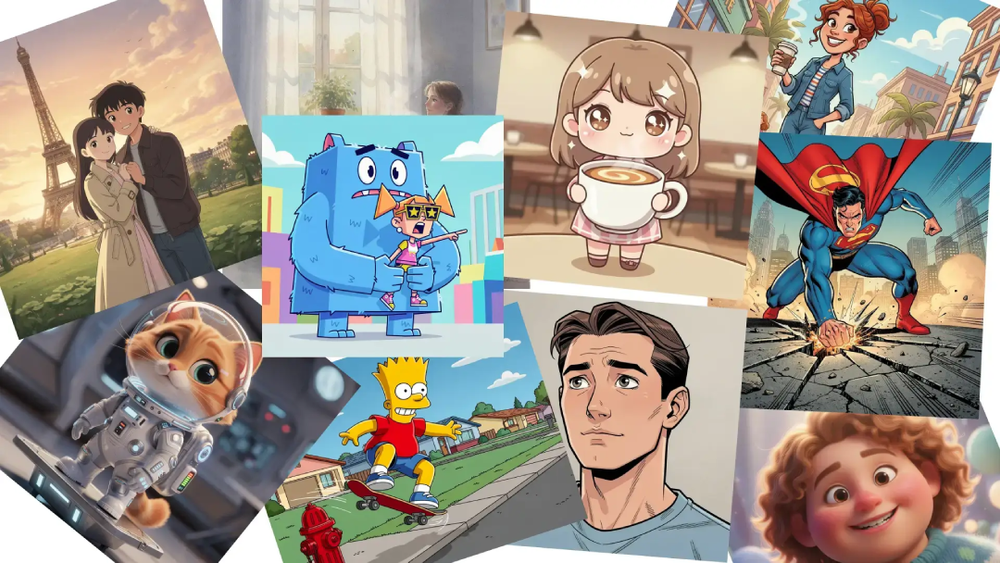
The product also appears relevant for people exploring character or scene ideas before committing to more polished design work. Example prompts shown on the page include anime portraits, seaside-town scenes, character concepts, workshop characters, rooftop action scenes, and fashion-oriented hero poses. These examples suggest the tool is built for fast ideation as much as final decorative output.
A careful user should still verify output rights, credit usage, and plan limits before relying on it for commercial production. The pricing page mentions commercial use and creator-ready results, but professional teams may need to confirm whether their specific usage, client work, or distribution channel fits the published terms.
Pricing
AI Cartoon Generator has a dedicated pricing page with monthly and yearly membership options plus a pay-as-you-go credit option. Visible plan details include Standard at $19.99 monthly or $15.99 per month billed annually at $192, with 3,600 yearly credits, all styles, batch generation, 3 concurrent tasks, commercial use, and cancel-anytime wording. The page also lists Premium with 7,200 yearly credits and 5 concurrent tasks, Starter with 1,200 yearly credits and 10 concurrent tasks, and credit top-ups at $0.15 per credit with one-time purchases valid for 1 year.
User Experience and Support
The public page emphasizes a simple creative flow rather than a technical setup process. Users can upload a reference photo, enter or reuse prompts, choose quantity, preview outputs, and save results. The copy specifically says the generator uses prompts, style choices, and reference images so users do not need to learn model jargon, which is a useful signal for non-technical creators.
Support information is less visible than the generation and pricing details. The site provides enough guidance to understand the basic workflow, but readers who need refunds, account support, team workflows, or usage-policy clarification should check the checkout flow and any available help or contact routes before purchasing credits.
Technical Details
The site identifies AI Cartoon Generator as a multimedia application and describes generation through prompts, style choices, and reference images. It does not expose detailed model architecture, API availability, export formats, or integration options in the fetched page text. For most individual creators, that may be enough; for developers or production teams, those missing details are worth confirming before building the tool into a repeatable workflow.
The visible technical value is in the product interface: photo input, text prompting, style selection, batch generation, credit-based usage, and concurrent task limits. Those details suggest a browser-based creative tool designed for repeatable visual generation rather than a developer platform.
Pros and Cons
Pros
- Supports both uploaded images and text prompts, giving users more than one path into cartoon creation.
- Visible use cases are specific, including avatars, pets, portraits, stickers, thumbnails, and character art.
- Pricing and credit details are publicly shown, including annual credits, top-up pricing, and concurrent task limits.
- The site highlights no-watermark generation and commercial use on membership plans.
Cons
- Support channels, refund details, and account-help options are not prominent in the visible page evidence.
- Technical details such as model behavior, export specifications, API access, and integrations are not clearly published.
- Credit consumption per output or per batch may need to be checked in the product interface before heavy use.
- Users with strict brand, licensing, or client requirements should verify the exact commercial-use terms before relying on outputs.
FAQ
What is AI Cartoon Generator used for?
AI Cartoon Generator is used to turn photos or text prompts into cartoon-style images. The site highlights avatars, portraits, pet cartoons, stickers, character art, blog visuals, thumbnails, and social media content.
Who is AI Cartoon Generator best suited for?
It appears best suited for creators, social media users, bloggers, marketers, and storytellers who need stylized cartoon visuals quickly. It may also help people exploring character concepts or visual directions before moving into more formal design work.
Can AI Cartoon Generator create cartoons from both photos and text?
Yes. The public page describes photo and image-to-cartoon generation, text-to-cartoon creation, reference photo uploads, prompt reuse, and style choices for different cartoon looks.
Does AI Cartoon Generator show pricing publicly?
Yes. The site shows membership plans, annual credit amounts, concurrent task limits, commercial-use wording, and pay-as-you-go top-ups at $0.15 per credit. Users should still confirm the checkout total and how credits are consumed before buying.
Are the generated images watermark-free?
The homepage copy says users can convert images online with no watermark and that the tool is free to try. If watermark-free output is essential for a project, users should verify whether that applies to all free and paid outputs or only certain plan conditions.
Can creators use AI Cartoon Generator outputs commercially?
The pricing page lists commercial use with membership plans. Creators using the images for client work, paid products, advertising, or merchandise should review the current terms to make sure their intended use is covered.
Does AI Cartoon Generator provide API or integration details?
The fetched pages do not show API, SDK, plugin, or integration details. The visible product is positioned as a web-based cartoon generation tool, so teams that need automation or system integration should verify whether those options exist.
What should users check before relying on it for repeated content production?
Users should check credit usage, batch behavior, concurrent task limits, commercial-use terms, and support options. These details matter most for creators who plan to generate many assets or use outputs in public-facing commercial work.
Conclusion
AI Cartoon Generator presents a focused way to create cartoon avatars, characters, portraits, pet art, and content visuals from photos or prompts. Its strongest public signals are the simple creation flow, visible style-oriented use cases, and transparent credit-based pricing. For casual creators and content teams, it is worth evaluating as a fast cartoon-generation tool, while heavier users should verify licensing, support, and credit mechanics before making it part of a regular workflow.