
Introduction
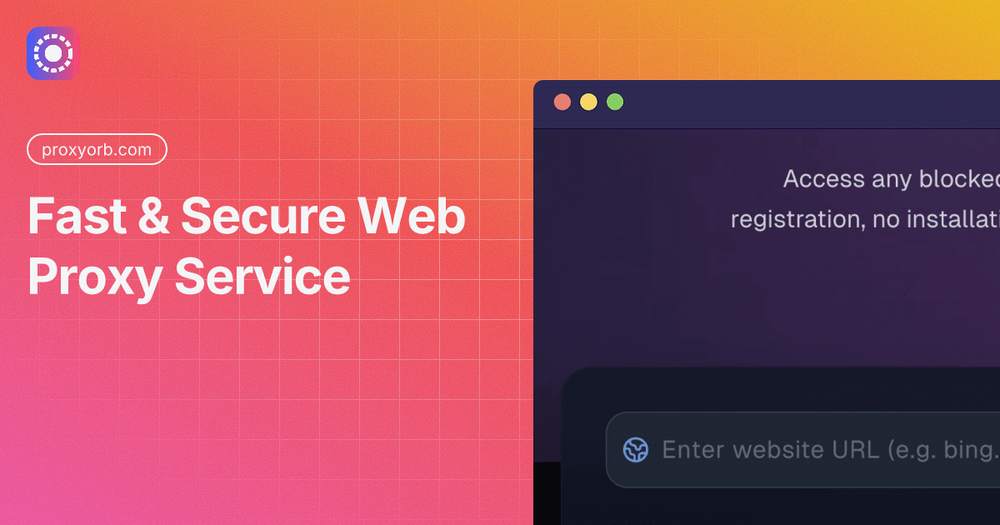
ProxyOrb is a free web proxy service that lets users access blocked websites without installing any software. The site presents itself as a browser-based tool for anonymous browsing, routing traffic through encrypted proxy servers to hide the user's real IP address. It appears most relevant for people who need quick access to restricted content-such as students on school networks, travelers facing geo-blocks, or anyone concerned about ISP tracking. The service runs entirely in the browser and requires no registration, which makes it a practical option for one-off browsing needs rather than full-device VPN protection.
Key Features
- No registration or installation required: Users simply visit ProxyOrb, enter a URL, and click "Start Proxy Browser" to begin browsing anonymously.
- SSL encryption: The site states that it enforces HTTPS encryption between the user and its proxy servers, which helps protect data in transit-especially on public Wi-Fi networks.
- Video proxy support: ProxyOrb highlights its ability to stream HD video from platforms like YouTube and Vimeo with minimal buffering, a feature many free proxies struggle with.
- Global server nodes: The service mentions load balancing across multiple server locations to provide stable connection speeds.
- No-logs policy: The site claims it does not store browsing history, original IP addresses, or transmitted data, and discards temporary navigation data after each session ends.
- Mobile compatibility: ProxyOrb works on Android, iOS, and tablets through mobile browsers like Chrome, Safari, and Firefox, with no app download needed.
Use Cases
The site positions ProxyOrb as a solution for several practical browsing scenarios. Students on restricted school networks can use it to access blocked social media or video sites on Chromebooks or library computers, since the proxy runs in the browser and masks the destination URL. Travelers facing regional content blocks-such as UK ISP filters or geo-restricted streaming-can bypass those restrictions without setting up a VPN. Users in the USA who want to avoid ISP tracking and throttling can route their traffic through the proxy to keep their browsing activity private. The service also appeals to anyone who needs occasional anonymous browsing without the commitment of a paid VPN subscription.
Pricing
ProxyOrb is completely free to use. The site states there are no fees, hidden charges, or subscription requirements. To support server costs and development, the service displays non-intrusive advertisements. Users do not need to provide credit card details or create an account. This makes it accessible for casual or infrequent use, though the ad-supported model means it may not suit users who need uninterrupted, premium-grade privacy tools.
User Experience and Support
The interface is straightforward: a single input field where users paste a URL, followed by a "Start Proxy Browser" button. The site provides a brief three-step guide-enter URL, click start, browse anonymously. Beyond this, the public page does not clearly show dedicated support channels such as live chat, email contact, or a help center. Users who encounter issues would likely need to rely on the site's FAQ-style explanations embedded in the page copy. The lack of visible support documentation is something to verify before relying on the service for critical browsing needs.
Technical Details
ProxyOrb runs as a browser-based web proxy rather than a device-wide VPN. The site mentions SSL encryption, global server nodes, and load balancing technology. It works with major browsers including Chrome, Edge, Safari, and Firefox, and handles video streaming through high-bandwidth servers optimized for HD content. The service also publishes technical articles on topics like CORS, same-origin policy, and cross-origin isolation, which suggests some engineering depth behind the proxy implementation. However, the public page does not specify the exact server locations, encryption protocols beyond HTTPS, or whether it supports advanced configurations such as custom proxy rules or API access.
Pros and Cons
Pros
- Free with no registration or software installation
- Works directly in the browser on desktop and mobile devices
- Supports HD video streaming with minimal buffering
- Claims a no-logs policy and SSL encryption for privacy
- Quick setup-enter URL and click to start
Cons
- Ad-supported, which may interrupt the browsing experience
- No visible dedicated support channels or help center
- Only protects browser traffic, not the entire device
- Server locations and encryption specifics are not clearly documented
- Free proxies may have reliability or speed limitations compared to paid VPNs
FAQ
What is ProxyOrb and what does it do?
ProxyOrb is a free web proxy service that routes browser traffic through encrypted servers to hide the user's IP address and allow access to blocked websites. It works entirely in the browser with no installation required.
Who is ProxyOrb best suited for?
The service appears most useful for students, travelers, and casual users who need occasional access to restricted content or want basic privacy protection without setting up a full VPN. It is less suited for users who need device-wide encryption or premium-grade reliability.
Can I stream video through ProxyOrb?
Yes, the site states that ProxyOrb supports HD video streaming from YouTube, Vimeo, and similar platforms, using high-bandwidth servers to minimize buffering.
Does ProxyOrb keep logs of my browsing history?
The site claims a strict no-logs policy: it does not store browsing history, original IP addresses, or transmitted data, and discards temporary navigation data after each session.
What should I verify before using ProxyOrb?
Users should confirm whether the encryption standards meet their privacy needs, whether server locations affect speed for their region, and what recourse exists if the service fails-since visible support channels are limited. The ad-supported model may also affect the browsing experience.
Conclusion
ProxyOrb offers a straightforward, free way to browse anonymously and access blocked websites without installing software. It appears well-suited for quick, occasional use-such as unblocking a video site or bypassing a school firewall-rather than as a full replacement for a paid VPN. Users who need stronger privacy guarantees, device-wide protection, or reliable support should verify those details before relying on it for sensitive browsing tasks. For casual needs, the browser-based approach and no-registration requirement make it an accessible entry point into anonymous web access.