
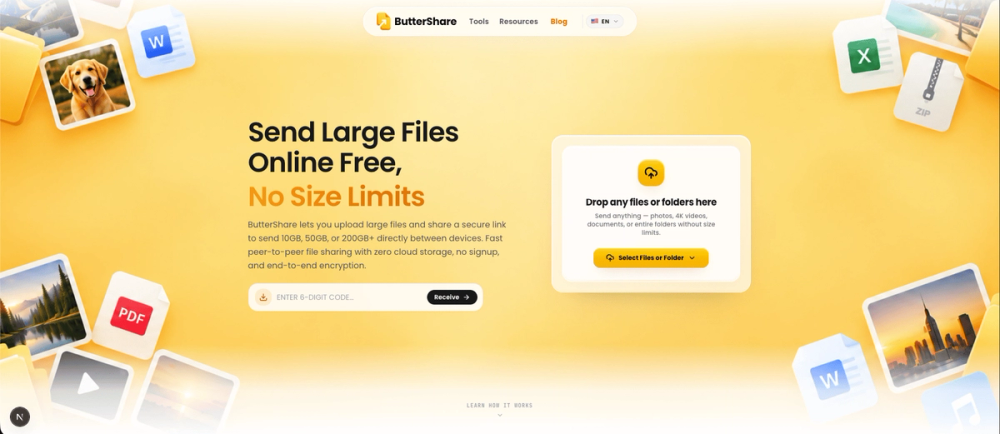
ButterShare: Secure Peer-to-Peer File Transfer Between Devices ButterShare is a browser-based peer-to-peer file transfer tool designed for people who want to send large files securely without first uploading them to traditional cloud storage. Instead of following the usual upload-wait-download workflow used by many file-sharing platforms, ButterShare connects devices using WebRTC and transfers file data between the sender and receiver through an encrypted connection. There is no account to create, no desktop application to install, and no need to upload your files to a permanent cloud storage bucket before someone else can download them. The goal is simple: make secure device-to-device file sharing as easy as opening a browser. How ButterShare Works Traditional file-sharing services usually work like this:
- You upload a file to a cloud server.
- The service stores that file.
- You receive a download link.
- The recipient downloads another copy from the cloud.
When two devices join the same transfer session, ButterShare uses WebRTC to establish an encrypted connection between them. The file can then be streamed from the sender's device toward the receiver without being permanently stored on ButterShare servers. This makes ButterShare especially useful when privacy, simplicity, or large file transfers matter. Secure Peer-to-Peer File Transfers Security is one of the main ideas behind ButterShare. WebRTC connections use encrypted transport, helping protect files while they are being transferred between devices. Instead of keeping a permanent copy of the file in cloud storage, ButterShare focuses on transferring the data during the active session. This reduces the amount of third-party storage involved in the process. For users sharing personal files, development assets, client work, videos, design files, project archives, or other sensitive material, this provides a different approach from traditional cloud-hosted file sharing. No Permanent Cloud File Storage ButterShare is built around direct transfer rather than long-term cloud storage. Your files are not uploaded into a ButterShare drive where they remain available for days or weeks. The sender keeps the original file on their device, and the receiver receives the data during the transfer session. This is useful for users who simply want to move a file from one place to another without creating another copy inside a cloud storage platform. It also removes the familiar workflow of: Upload → wait → generate link → wait for recipient → download. Actual transfer speed depends on factors such as:
- The sender's internet connection
- The receiver's internet connection
- Network conditions
- Browser performance
- Device performance
- Whether a direct peer-to-peer route can be established ButterShare does not claim that every transfer will have the same speed, but the peer-to-peer architecture removes an unnecessary permanent cloud-storage step from the process. No Account Required You do not need to create an account before using ButterShare. There is no username, password, profile setup, or onboarding process required just to send a file. Open ButterShare, select what you want to send, create a transfer session, and share the transfer link with the recipient. The recipient can open the link in their browser and connect to the transfer. This makes ButterShare useful for one-time transfers where forcing both people to register would add unnecessary friction. No Software Installation ButterShare works directly inside a modern web browser. There is no desktop installer and no separate mobile application required for a basic file transfer. This makes it easier to transfer files between different operating systems and devices. For example: Windows → macOS macOS → Android Android → Windows Linux → macOS iPhone → PC