
Introduction
ImageTranslate.AI is an AI-powered image translation tool built for users who need to translate text inside images without losing the original visual structure. The public site positions it as a fast, layout-preserving image translator that supports more than 130 languages and use cases ranging from manga pages to e-commerce graphics, menus, screenshots, and business documents.
What stands out most is the product's focus on visual localization rather than plain text translation. For teams and creators working with image-heavy content, that difference matters because the page promises not only OCR and translation, but also preservation of layout, styling, and editability after translation.
Key Features
- Translation support for 130+ languages through the main ImageTranslate.AI homepage.
- Layout-preserving image translation designed to keep the original structure, fonts, and styling intact.
- Use-case modes for comics and manga, e-commerce, documents and reports, menus, and screenshots.
- Batch translation for multiple images and multiple target languages at once.
- A built-in translation editor for adjusting text, font, size, color, and placement after translation.
- OCR and related tools such as image-to-text conversion, text remover, and text translator utilities.
- Support for JPG, JPEG, PNG, and WebP uploads, with plan-based file size limits.
Use Cases
ImageTranslate.AI appears especially useful for businesses that need to localize visual assets quickly. Product graphics, promotional images, infographics, menus, and documentation often contain embedded text that is tedious to rebuild manually in each language. The site's positioning around preserving layout and editing translated text makes it a practical fit for that kind of workflow.
The product also looks well suited to comics and manga translation. That is one of the most explicit use cases on the public site, which highlights speech bubbles, text boxes, and art-style preservation. For creators or publishers handling illustrated content, the ability to translate while keeping the visual flow intact is a more specialized advantage than a general OCR tool would offer.
There is also a strong fit for high-volume multilingual work. Batch translation, multiple AI model options, and support for more than 130 languages suggest the platform is aimed not only at casual users but also at teams dealing with ongoing localization tasks. A careful buyer should still test terminology accuracy and output consistency with their own materials, especially for technical, legal, or brand-sensitive content.
Pricing
ImageTranslate.AI has a visible pricing structure with a free Basic tier, plus Starter, Professional, and Enterprise plans shown on the public pricing page. The free tier includes 20 basic credits per day and no advanced credits, while paid plans increase monthly advanced credits, file size limits, support level, and access to commercial use. The public page also lists annual billing discounts, says users can cancel anytime, and notes a 3-day money-back guarantee for paid plans if fewer than 500 credits have been used.
The pricing model is credit-based, with image translation listed at 10 credits per translation and some related tools priced per use or per character count. Because the product includes several tools and model tiers, it is worth reviewing the official pricing details carefully before estimating team-wide usage costs.
User Experience and Support
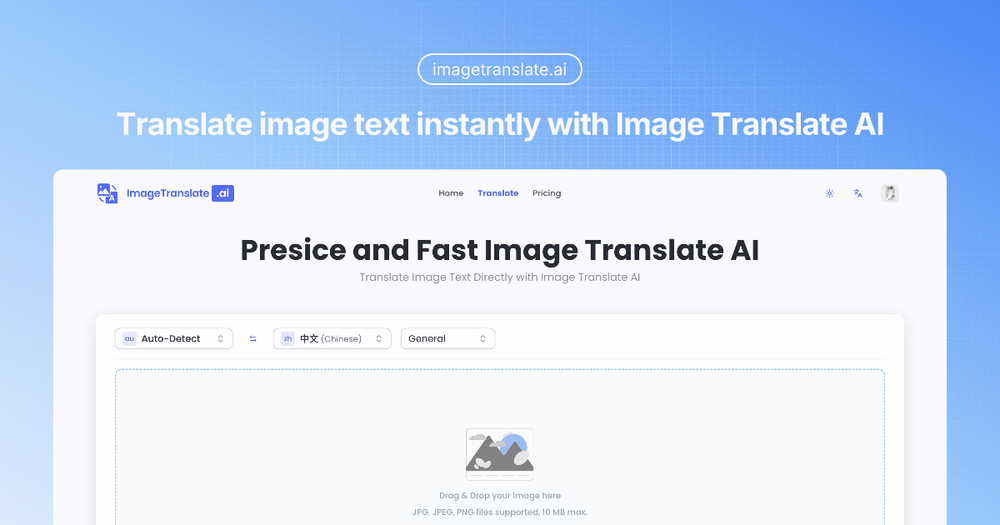
The site presents a straightforward workflow: drag and drop an image, choose a target language or mode, run the translation, then refine the result if needed. That is reinforced by the product's "one-click" positioning and the presence of a post-translation editor, which suggests the experience is designed for speed first, with optional manual control when visual polish matters.
Support appears more developed than on many small AI utilities. The pricing page mentions support levels that progress from personal use only on the free plan to full support, priority custom support, and 1-on-1 support on higher tiers. The site also exposes an FAQ, billing management guidance, refund language, and an email contact route, all of which are useful trust signals for teams evaluating paid adoption.
Technical Details
ImageTranslate.AI combines OCR, AI translation, and layout preservation into a browser-based workflow. The public site references multiple AI translator options, including ChatGPT, Claude, Gemini, Grok, and DeepSeek, with broader model access tied to higher plans. That suggests the product is not relying on a single translation engine, but on a layered system where model choice can vary by plan or feature level.
From the visible evidence, the technical strengths are practical rather than infrastructural: broad language coverage, editable translated output, batch processing, and support for common image formats. The page does not expose developer APIs or deployment options, so the current product seems better suited to end-user localization workflows than direct engineering integration.
Pros and Cons
Pros
- Strong fit for image-heavy localization tasks where preserving layout is important.
- Broad language support and multiple use-case modes make the platform versatile.
- Clear pricing page with visible plan differences, credit rules, and cancellation guidance.
- Built-in editor and batch translation features add real workflow value beyond basic OCR.
- Commercial-use access is clearly called out on paid plans, which helps business buyers evaluate fit.
Cons
- Credit-based pricing may take some effort to estimate for high-volume or mixed-tool usage.
- Translation quality claims should still be tested with specialized terminology and brand-sensitive assets.
- The public site does not make API or engineering integration options clear.
- Refund eligibility is conditional, so teams should check usage thresholds before committing heavily.
FAQ
What is ImageTranslate.AI and what problem does it appear to solve?
ImageTranslate.AI is a tool for translating text inside images while preserving the original visual layout. It appears designed to solve the common localization problem where image-based content has to be rebuilt manually after translation.
Who is ImageTranslate.AI best suited for?
It looks best suited for localization teams, e-commerce businesses, creators, publishers, and anyone working with visual content such as manga, menus, screenshots, product images, or multilingual documents.
What can users clearly verify from the public site?
Users can verify support for 130+ languages, batch translation, a translation editor, OCR-related tools, multiple pricing plans, and use cases for comics, e-commerce, documents, menus, and screenshots.
Does ImageTranslate.AI have a free plan?
Yes. The pricing page shows a free Basic tier with 20 basic credits per day. However, advanced features and higher credit allowances are tied to paid plans.
How does ImageTranslate.AI pricing work?
The platform uses a credit-based model. The public pricing page says image translation costs 10 credits per translation, while some other tools use credits per operation or per character threshold.
Does ImageTranslate.AI support commercial use?
Yes, based on the visible plan comparison, commercial use is available on paid plans. Users should still review the official terms to confirm what usage rights and limits apply to their specific workflow.
What support options are visible?
The site shows different support levels by plan, including full support, priority custom support, and 1-on-1 support for higher tiers. It also includes an FAQ, billing guidance, refund information, and an email contact route.
What should teams verify before relying on ImageTranslate.AI?
Teams should verify real translation accuracy for their language pairs, credit consumption at their expected volume, file size needs, and whether the available AI models and editing controls match their content requirements. Those details will have a bigger impact than headline language coverage alone.
Conclusion
ImageTranslate.AI presents itself as a serious visual localization tool rather than a simple OCR add-on. Its mix of layout preservation, broad language coverage, batch processing, and post-translation editing gives it a clear use case for businesses and creators handling multilingual image content.
The product looks especially promising for teams that regularly translate designed assets, comics, or product visuals. The main thing to evaluate next is whether the credit model, support tier, and translation quality line up with your actual workload.