
MakeGraph — Fast Online Chart Creation for Everyone
What is MakeGraph?
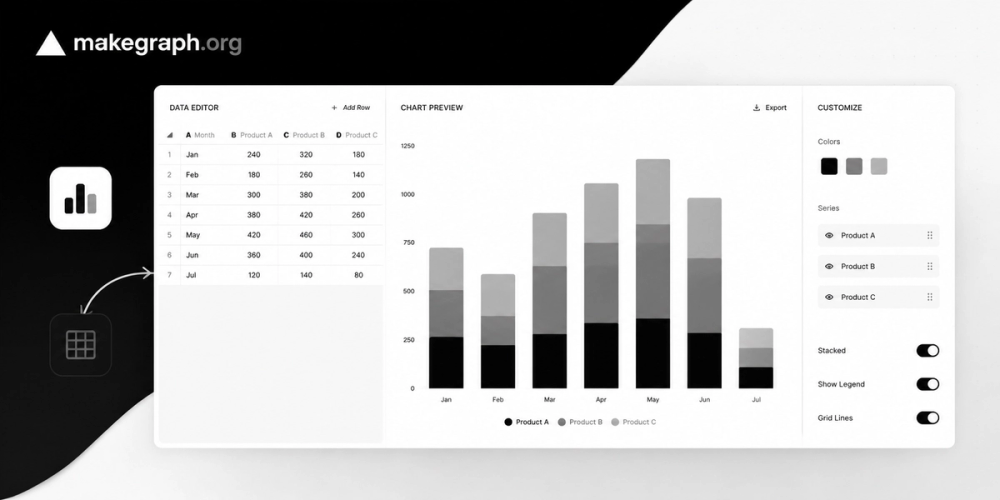
MakeGraph is a lightweight online chart creation tool designed for people who need charts quickly.
Instead of learning complex visualization software or configuring dozens of chart settings, users can simply import data, make quick edits, and instantly generate clear, presentation-ready charts.
The goal is simple:
Turn data into usable charts in minutes.
Why We Built It
Most charting tools fall into two categories:
Too Complex
Many business intelligence and analytics platforms offer powerful capabilities but require significant learning time.
Too Design-Focused
Design tools provide extensive customization options, but users often spend more time adjusting styles than communicating insights.
For most people, neither is ideal.
When someone needs a chart for a report, presentation, article, classroom assignment, or meeting, they usually want one thing:
Get a clear chart and move on.
MakeGraph is built for that exact scenario.
Who Is It For?
Business Teams
- Operations specialists
- Marketing teams
- Content creators
- Startup employees
Education
- Students
- Teachers
- Researchers
- Academic assistants
Everyday Users
Anyone who has data and needs a chart without becoming a chart expert.
Typical Use Cases
Reports
Create charts for weekly, monthly, or quarterly reports.
Presentations
Generate presentation-ready visuals for slides and meetings.
Content Creation
Create charts for blog posts, newsletters, and social media content.
Quick Decisions
Update numbers during discussions and immediately export new charts.
Core Principles
Fast
Upload data and generate charts in the shortest possible workflow.
Simple
No tutorials, manuals, or training required.
Consistent
Charts follow a unified visual style to ensure readability and professionalism.
Data First
Focus on communicating information instead of spending time on design settings.
How It Works
1. Import Data
Upload a spreadsheet or paste data directly.
2. Edit Data
Quickly modify rows, columns, and individual cells.
3. Get Chart Recommendations
MakeGraph automatically suggests the most appropriate chart type.
4. Export or Share
Download high-quality images or share charts online.
Intelligent Chart Recommendations
Different data tells different stories.
MakeGraph automatically recommends chart types based on data structure:
| Data Type | Recommended Chart |
|---|---|
| Category comparison | Bar Chart |
| Time series | Line Chart |
| Trend over time | Area Chart |
| Part-to-whole | Pie Chart |
| Distribution and relationships | Scatter Plot |
Users always understand why a chart is recommended.
Supported Chart Types
- Bar Charts
- Horizontal Bar Charts
- Line Charts
- Area Charts
- Pie Charts
- Donut Charts
- Scatter Plots
Additional chart types may be introduced over time while maintaining the product's simplicity.
Sharing and Embedding
Charts can be used in multiple ways:
- Download as images
- Share via links
- Embed into websites, blogs, documentation, and knowledge bases
This allows charts to move beyond screenshots and become reusable content.
Business Model
Free Forever Core Features
Everyone can:
- Import data
- Edit data
- Generate charts
- Export charts
- Share charts
- Embed charts
without feature restrictions.
Premium
Premium users simply remove advertisements.
The philosophy is:
Features are not paywalled. Experience is.
Our Definition of Success
Success is not measured by how many features we add.
Success is measured by whether users can create useful charts faster.
If someone can arrive with raw data and leave with a chart in just a few minutes, MakeGraph has done its job.