
Introduction
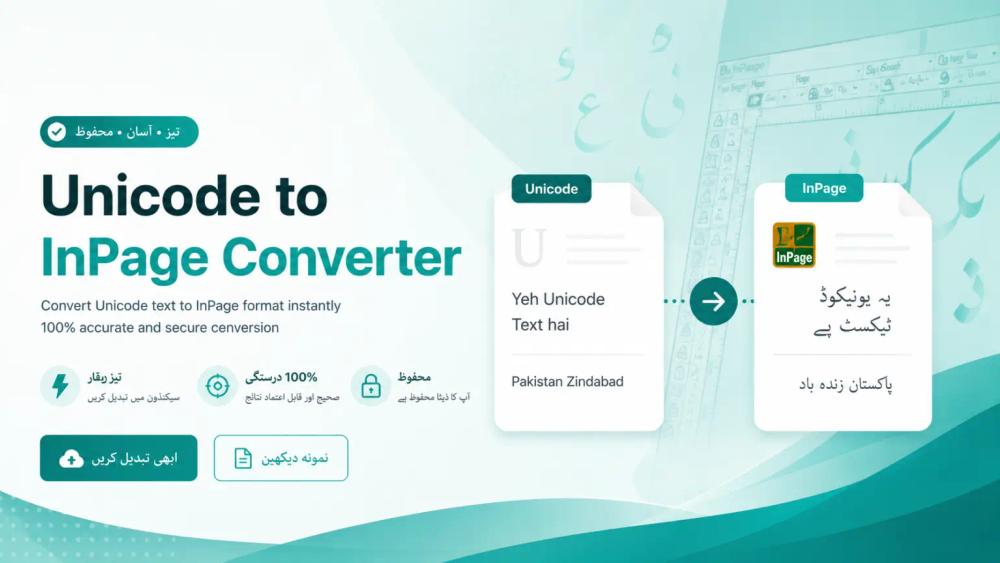
Unicode to Inpage online Tool is a browser-based utility for converting Urdu text between Unicode and InPage formats in both directions. The public site presents it as a free online converter aimed at writers, designers, and publishers who still work with InPage layouts but receive or produce Unicode Urdu elsewhere. Anyone planning to use converted text in print or professional layouts should review output carefully, as the site itself recommends checking results before final use.
Key Features
- Bidirectional conversion between Unicode Urdu and InPage-compatible text, with separate workflows for Unicode → InPage and InPage → Unicode on the main interface.
- Live conversion in the browser: paste text into the input area and see results in an adjacent output panel, with copy and download options highlighted on the page.
- Audio input support for Unicode-side entry, alongside standard paste-and-convert workflows.
- Saved clips and session memory so recent conversions can be revisited or edited without starting from scratch each time.
- Educational content under "Learn Urdu InPage," covering interface navigation, toolbar use, text formatting, object and picture editing, and file menu basics.
- Browser extensions listed for Firefox and Microsoft Edge, suggesting in-browser access beyond the main website.
- Explanatory sections on what Unicode and InPage are, how the mapping algorithm works, best practices, limitations, and FAQs.
Use Cases
The site frames the product around a common frustration: Urdu typed or copied in Unicode often breaks when pasted into InPage, because InPage uses a legacy glyph-based encoding rather than standard Unicode code points. News agencies, designers, and publishers working with Nastaʻliq script appear to be a primary audience; the copy mentions newspaper columns, book layouts, brochures, and archived documents trapped in older InPage files.
Teams that split work between modern tools (browsers, Google Docs, CMS platforms) and InPage for final print layout may use the converter to bridge formats without retyping entire pieces. The page also suggests value for repurposing Urdu books, advertisements, and social or web content into InPage-ready text. Because professional typography still depends on InPage in parts of South Asia, a web utility that runs without installing desktop software may appeal to users on mixed Windows, macOS, Linux, Android, and iOS setups-though each user should confirm fidelity on their own documents.
Pricing
The homepage and supporting copy describe the Unicode to Inpage Converter as completely free, with no signup, no downloads, and no purchase required. Messaging such as "Free. Fast and 100% Accurate" appears on the public site; readers should still verify converted output themselves before relying on it for professional or print materials, as the site's own disclaimer suggests. No paid tiers, trials, or subscription plans are visible in the fetched pages.
User Experience and Support
The interface is organized around a dual-panel converter with direction toggles (Unicode ⇄ InPage), theme or display controls, and notes that InPage paste may show placeholder boxes until conversion completes-behavior the site presents as normal. Navigation includes blogs, extension download links, InPage learning articles, and a contact page with a form ("Fill out the form below and we'll get back to you as soon as possible") plus social links (Instagram, LinkedIn, Twitter) and email/phone signals in the footer.
Documentation-style help is largely embedded in long-form pages: how the converter works, best practices, limitations, and step-by-step usage. There is no separate help desk or live chat called out in the evidence; support appears to route through contact form and social channels.
Technical Details
The site describes conversion as a mapping process: Unicode code points are analyzed and matched to InPage glyph counterparts, with attention to connected Urdu letter shapes and Nastaliq-related display (including references to Jameel Noori Nastaleeq expectations). The tool is presented as running in any modern browser, handling long multi-paragraph input, and preserving layout and selectable text where possible.
Platform compatibility is stated broadly-Windows, macOS, Linux, Android, iOS, browsers, apps, websites, blogs, Google Docs, and CMS databases-through the online utility. Firefox and Edge add-ons are offered as extensions. The underlying distinction emphasized on the site is Unicode's universal character IDs versus InPage's font-encoded glyph system from legacy desktop publishing (InPage dating to 1994 in the site's historical overview).
Pros and Cons
Pros
- Clear focus on a niche problem (Unicode ↔ InPage Urdu) with bidirectional conversion on one site.
- No account or payment is advertised; access appears immediate for casual and repeat use.
- Substantial on-site education about InPage, Unicode, and conversion best practices helps new users understand why text breaks across systems.
- Live output, downloads, saved clips, and optional browser extensions support varied workflows.
- Contact and social channels are visible for follow-up questions.
Cons
- Accuracy claims on the marketing copy ("100% Accurate," "smartest") should be validated against real documents; the site itself advises reviewing output before professional use.
- Heavy reliance on browser-based conversion may not suit air-gapped or offline-only newsroom environments without extensions or saved workflows.
- Support is not presented as structured ticketing or SLA-based; response times via contact form are not specified.
- Complex layouts, custom fonts, or edge-case glyphs may still require manual fixes in InPage after conversion-limitations are acknowledged in dedicated site sections.
FAQ
What is the Unicode to Inpage online Tool and what problem does it solve?
It is a web-based Unicode to InPage (and InPage to Unicode) converter for Urdu text. The public page explains that Unicode and InPage encode the same script differently, which causes pasted text to break; the tool maps characters between those systems so users can move text into or out of InPage-oriented workflows without retyping everything.
Who is this converter best suited for?
It appears most relevant for Urdu writers, layout designers, and publishing-adjacent users who still produce newspapers, books, brochures, or ads in InPage but source or edit Unicode Urdu elsewhere. The site also mentions enthusiasts learning InPage through its tutorial content.
What can users verify directly on unicodeinpage.com?
Users can try live conversion, switch conversion direction, use audio input on the Unicode side, access saved clips, read FAQs and limitation notes, browse InPage learning articles, download Firefox or Edge extensions, and reach the team via the contact form and listed social links.
Does the site show paid plans or require registration?
The fetched pages describe the service as free with no signup, downloads, or purchase. No pricing table or subscription tiers were visible; users with enterprise procurement needs should confirm licensing and data handling separately if they paste sensitive copy.
How should someone check output before print or client delivery?
The site recommends reviewing converted text before final use in professional or print materials. Practical checks include comparing glyph shapes in InPage, confirming punctuation and brackets, testing long paragraphs, and spot-checking Nastaliq rendering against your house fonts-especially for archived or mixed-source documents.
Are browser extensions required to use the converter?
No. The core converter runs in the browser on the main site. Firefox and Microsoft Edge add-ons are optional extras listed under "Download Extension"; users can evaluate whether extensions fit their daily workflow.
Conclusion
The Unicode to Inpage online Tool addresses a specific encoding gap between Unicode Urdu and legacy InPage workflows, with free in-browser conversion, educational resources, and optional extensions. It is worth a trial for anyone who regularly moves Urdu text between modern apps and InPage, provided they validate output on real layout files. Visit unicodeinpage.com to convert text or use the contact page for direct inquiries.